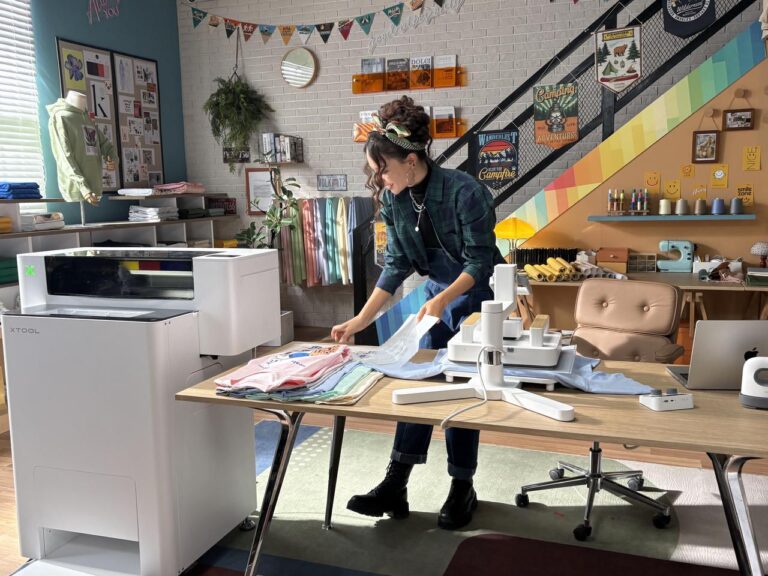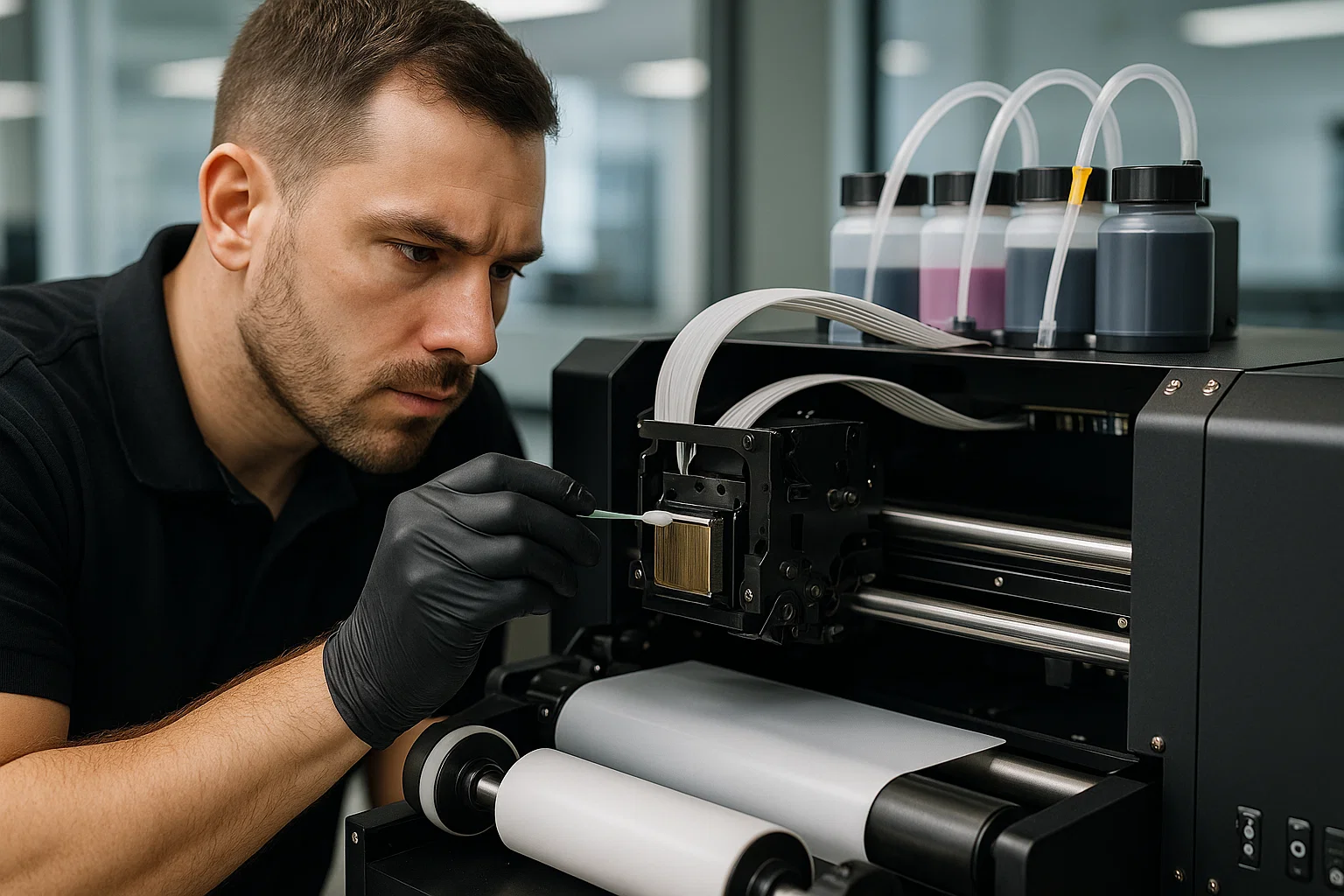
A technician carefully cleans a DTF printer printhead to ensure consistent print quality and prevent clogging issues.
Direct to Film printing has become one of the most important technologies in apparel decoration. It offers durability, sharp detail and the flexibility to print on nearly any garment. But DTF printing also comes with a unique requirement: consistent, structured maintenance.
Whether you run a small hobby shop or manage thousands of prints each week, the stability of your DTF printer directly affects production speed, color accuracy, transfer durability and overall profit. With heavy white ink, adhesive powder, curing ovens and continuous motion, these machines demand a higher level of care than traditional inkjet printers.
This comprehensive guide walks through the exact maintenance routines top operators use, how to identify developing issues, and the most reliable ways to troubleshoot DTF printers when something goes wrong. The goal is simple: keep your machine running, keep your prints clean and keep your workflow stable.
Why DTF Printer Maintenance Should Be Treated as Daily Operations, Not Occasional Tasks
DTF printing is fundamentally different from sublimation, DTG or vinyl printing. The chemistry is heavier. The mechanics are tighter. The ink settles faster. The environmental sensitivity is higher. And because white ink is essential in nearly every DTF design, the risk of clogging is significantly greater.
When maintenance routines are neglected, print shops often encounter:
-
Printhead clogging
-
Banding across prints
-
Fading or incorrect color behavior
-
White ink dropout
-
Film feeding errors
-
Powder adhesion problems
-
Oven or curing inconsistencies
-
Premature printhead failure
In short, maintenance is far cheaper than repairs. A little time spent daily and weekly can prevent hundreds or thousands of dollars in downtime and materials.
DTF Printer Maintenance Checklist (Daily, Weekly, Monthly)
This section outlines the professional maintenance routine followed by high-performing print shops. Following these steps helps maintain strong ink flow, consistent curing, clean film feeding and predictable color output.
Daily Maintenance: The Foundation of Reliable DTF Printing
Daily care is the most important part of DTF maintenance. These tasks take only minutes but prevent most print failures.
1. Clean the capping station and wiper blade
Ink residue builds quickly in the DTF environment. The printhead seals against the capping station when idle. If that area contains dried ink, the printhead will not seal properly, leading to major clogging.
What to do:
-
Use lint-free swabs
-
Apply approved DTF cleaning solution
-
Remove dried ink from the capping station walls
-
Clean the wiper blade gently
-
Wipe surrounding ink pads
2. Shake the white ink thoroughly
White ink is the lifeblood of DTF printing. It also settles faster than any other ink type used in digital printing.
Settled pigment causes clogged nozzles, streaking and uneven white coverage.
How long to shake:
-
Cartridges: 5 to 10 seconds
-
Bulk tanks: 10 to 20 seconds
-
Circulation systems: run cycles if available
3. Run a nozzle check before printing
This quick diagnostic test reveals:
-
Missing nozzles
-
Weak channels
-
White ink starvation
-
Color imbalance
If gaps appear:
-
Run a cleaning
-
Shake white ink
-
Verify temperature and humidity
Professionals never print without checking their nozzles first.
4. Inspect the film path and print bed
Powder particles float everywhere in a DTF workspace. Even small contamination can disrupt film feeding or create smudges.
Check:
-
Rollers
-
Film edges
-
Dust accumulation
-
Film tension
-
Film straightness
5. Keep the work environment clean
A clean workspace prevents clogged fans, roller contamination and curing inconsistencies.
Daily cleaning includes:
-
Wiping surfaces
-
Vacuuming powder
-
Cleaning tables
-
Reducing airflow around the printer
Weekly Maintenance: Ensuring Stability and Consistency
Weekly tasks help maintain optimal performance and prevent long-term wear.
1. Deep clean the printhead assembly
Focus on:
-
The capping station edges
-
The wiper blade housing
-
Ink pools around the printhead plate
-
Waste-ink areas
2. Lubricate carriage rods
A dry rod causes jerky movement, micro-banding and mechanical stress.
Use manufacturer-approved lubricant only.
3. Clean feed rollers and sensors
Powder and mist accumulate on rollers and cause:
-
Film slipping
-
Misalignment
-
Printing artifacts
Cleaning restores accuracy.
4. Stir or agitate bulk tanks
Bulk tanks settle faster than cartridges. Weekly agitation prevents weak color density and sudden banding.
Monthly Maintenance: Long-Term Care for DTF Printers
Monthly routines prevent component failures and help maintain print consistency.
1. Flush the ink lines
Ink residue builds in lines over time. Flushing restores:
-
Ink pressure
-
Color density
-
Flow stability
-
Reduced banding
2. Replace dampers
Worn dampers cause:
-
Random banding
-
Dropouts
-
Weak white channels
-
Inconsistent printing
High-volume shops replace dampers every 3 to 6 weeks.
3. Inspect the powder shaker and curing oven
Check:
-
Heat output
-
Belt alignment
-
Powder flow
-
Vibration settings
-
Powder buildup
Consistent curing ensures strong adhesion.
4. Tighten mechanical components
Loose parts cause noisy printing, misalignment and mechanical wear.
Troubleshooting the Most Common DTF Printer Issues
Below is a breakdown of frequent problems and their solutions.
Issue 1: Banding or Horizontal Lines Across Prints
Primary causes:
-
Clogged nozzles
-
Weak dampers
-
Incorrect printhead height
-
Settled white ink
-
Dry environment
Solutions:
-
Perform nozzle cleanings
-
Shake white ink
-
Replace dampers
-
Adjust printhead height
-
Increase humidity to 40 to 55 percent
Issue 2: Washed Out or Incorrect Colors
Causes:
-
Wrong ICC profile
-
Low ink
-
High humidity
-
Incorrect curing temperature
Fixes:
-
Install correct profile
-
Shake CMYK and white ink
-
Adjust oven temperature
-
Clean dampers and lines
Issue 3: White Ink Not Printing Correctly
Causes:
-
Settled pigment
-
Clogged nozzles
-
Low temperature
-
Low humidity
Solutions:
-
Shake white ink
-
Run deep cleaning
-
Maintain room temperature
-
Keep humidity stable
-
Use circulation if available
Issue 4: Ink Smudging or Wet Prints
Causes:
-
High humidity
-
Poor film quality
-
Incorrect printhead height
-
Wrong curing temperature
Solutions:
-
Lower humidity
-
Upgrade to premium film
-
Adjust head height
-
Correct oven temperature
Issue 5: Powder Not Sticking or Melting Correctly
Symptoms:
-
Flaking
-
Patchy adhesion
-
Rough texture
-
Poor washing performance
Causes:
-
Uneven powder application
-
Low oven temperature
-
Contaminated film
Fixes:
-
Recalibrate shaker
-
Clean film
-
Adjust curing temperature
Issue 6: Film Jamming or Feeding Incorrectly
Causes:
-
Dirty rollers
-
Wrong tension
-
Cheap film
-
Misaligned edges
Solutions:
-
Clean the film path
-
Adjust tension
-
Use better film
-
Tighten roller screws
Advanced Troubleshooting Methods
Professionals use the following when standard routines fail:
-
Overnight soaking
-
Manual printhead flushing
-
Firmware updates
-
Printhead replacement
Environmental Control: The Hidden Key to Perfect DTF Prints
Ideal workspace conditions:
-
Temperature: 68 to 75 F
-
Humidity: 40 to 55 percent
-
No direct airflow
-
Clean, dust-free room
Environmental stability is often the difference between consistent output and constant troubleshooting.
How to Maximize Lifespan and Reduce Breakdowns
Best long-term habits:
-
Use high-quality inks and film
-
Avoid long idle periods
-
Replace parts on schedule
-
Keep spare components
-
Train all operators
-
Maintain consistent environment
Conclusion
DTF printing delivers exceptional flexibility and quality, but only when machines are cared for properly. A structured daily, weekly and monthly routine combined with accurate troubleshooting ensures consistent prints, reliable production and longer machine lifespan.
Whether you are a beginner or an industrial shop, these practices help prevent clogs, reduce downtime and maintain high-quality output all year.
About the Author